Free QR code
One QR code. Your whole card.
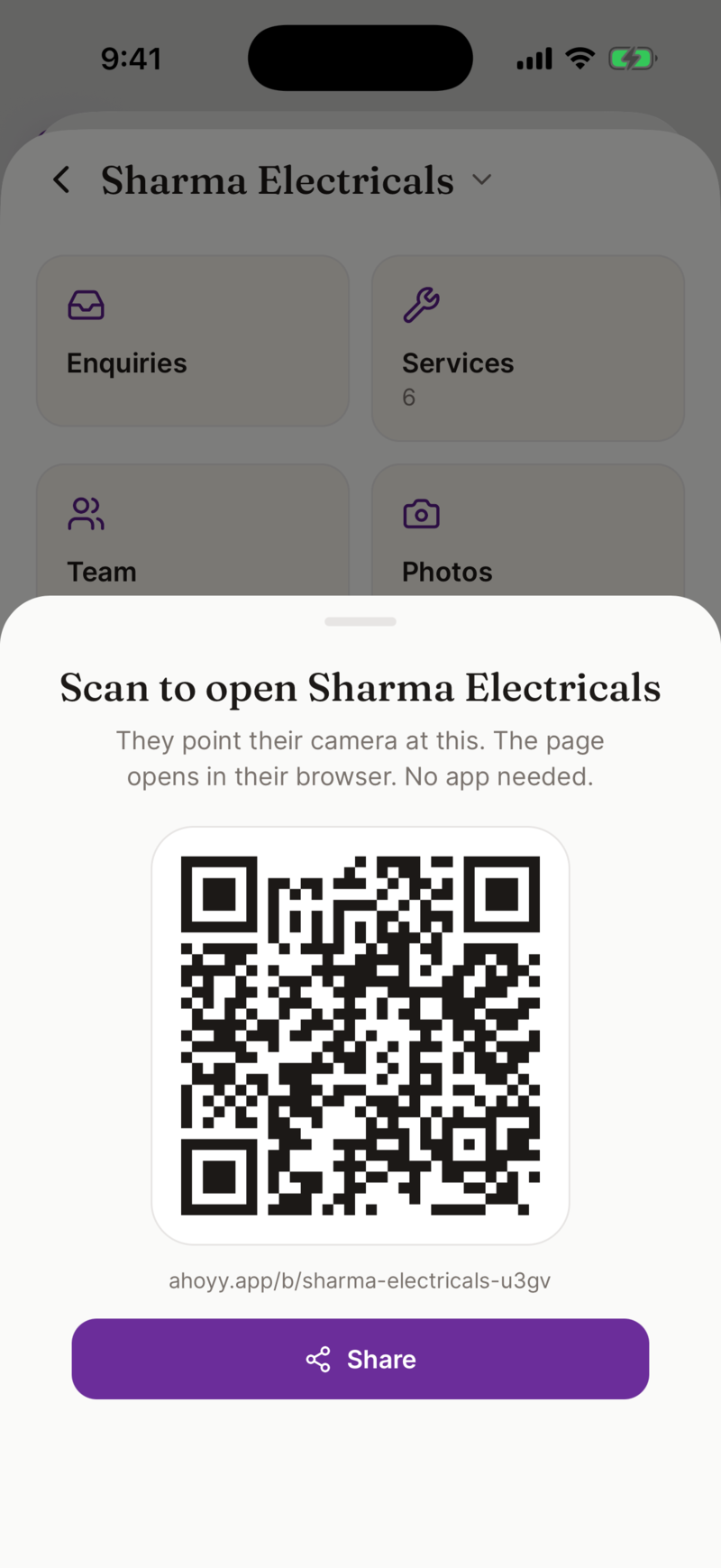
A QR code is the fastest way to hand over your details. The other person points their normal camera at it. Your page opens in their browser, they tap Save contact, and you are in their phone. No app, no typing, no spelling mistakes.
Your QR code is free and it belongs to your card. If you change your number, the code keeps working and shows the new one.
How to get your QR code
- 1. Make your card on the web or in the Ahoyy app and sign in with Google.
- 2. Add your name, your work and your phone number.
- 3. Tap Share. Your QR code is right there on the screen to show anyone.
- 4. On the web dashboard, tap Download to print for a crisp file you can send to a printer.
Where people stick it
- • On the shop counter, so a waiting customer can save you.
- • On the shutter, so people who come after closing time can still reach you.
- • On the back of a paper card, instead of printing your whole rate list.
- • On an auto, a tempo or a delivery box, for the person stuck behind you.
- • On a poster, a pamphlet or an invoice.
- • As your phone wallpaper, so you can show it without opening anything.
What the scanner sees
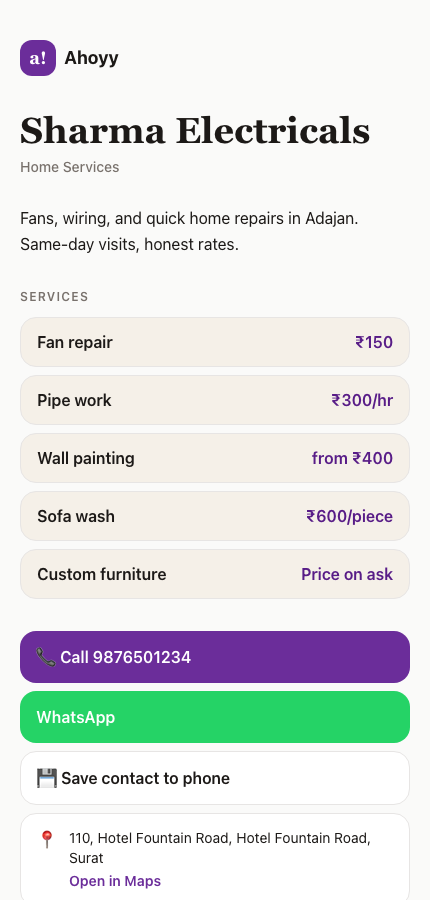
Your code opens a page, not a raw block of text. That page has your name, your work, a Call button, a WhatsApp button and a Save contact button. Some pages also carry services with prices, photos, a map pin and a UPI payment code.
A plain contact QR code cannot do any of that. It hands over a name and a number and stops there.
| Plain contact QR | Saves a name and number. Nothing else, and nothing can change later. |
|---|---|
| Your Ahoyy QR | Opens a full page. Call, WhatsApp, save, see prices, pay by UPI. |
| Changing your number | Plain QR: reprint everything. Ahoyy QR: edit the page, same code. |
| Payment QR on the counter | Only takes money. Ahoyy QR does that and shows your work. |
Does the other person need anything?
No. Every phone sold in the last several years reads QR codes with the normal camera app. They open the camera, hold it up, and tap the link that appears. Nothing to install and no account to make.
For shops and staff
A shop can have one QR code for the whole business, and each staff member can have their own. A customer saves the exact person who served them, not a generic shop number.
The same code can carry your UPI payment code, so the customer looking at your rates can pay without switching apps. We never sit in the middle of the payment and take no commission.
Common questions
- Is the QR code free?
- Yes. Making your card, seeing your QR code and downloading a printable version cost nothing.
- Does the QR code expire?
- No. It points at your page, and your page stays live. Printed codes keep working for as long as you keep the card.
- What happens when my phone number changes?
- Edit your page and save. The QR code is unchanged, so every printed copy now shows your new number.
- Do they need the Ahoyy app to scan it?
- No. The normal camera app on any modern phone reads it. Your page then opens in their browser.
- Can I print it on a paper visiting card?
- Yes, and it is a good combination. Download the printable file from the web dashboard and give it to your printer.
- Is this the same as my UPI payment QR?
- No, but it can include it. A UPI code only collects money. Your Ahoyy code opens your whole page, and you can add your UPI code inside it.
Read next: Make your digital visiting card, A QR code for your whole shop, What NFC cards cost, and the free alternative.