Events
Two phones, one camera, four seconds
QR code networking is the least glamorous idea in this whole category and the one that actually works. You hold up a square on your screen, the other person points their normal camera at it, and your details open in their browser. No app on their side, no account, no exchange of email addresses shouted over a noisy room.
It works because of a change nobody announced: since roughly 2017 on iPhone and 2018 on most Android phones, the built-in camera reads QR codes with no extra software. That quietly turned every phone at an event into a card reader.
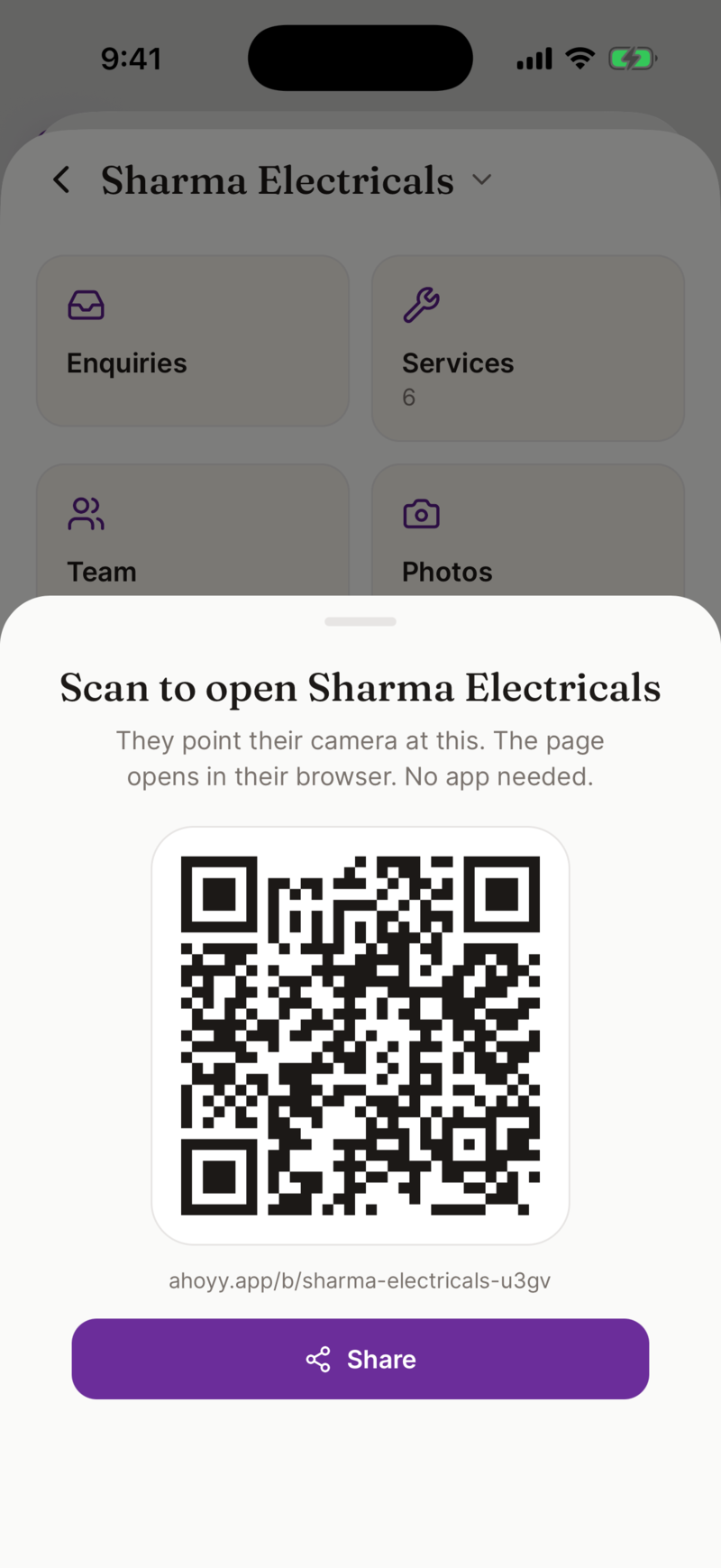
What is actually inside the code
A QR code is just a way of printing text that a camera can read. For networking, that text is almost always one of two things, and the difference matters more than people realise.
| A link | The code holds a web address. Scanning it opens your card page. You can edit the page afterwards and the same code keeps working. This is what Ahoyy gives you. |
|---|---|
| A vCard | The code holds the contact details themselves. Scanning it offers to save a contact straight away, and works with no connection, but the details are frozen the moment you print it. Change your number and every printed code is wrong. |
Why a link beats a frozen vCard for events
The one real advantage of a vCard code is that it works with no connection at all. That is a genuine trade-off in a basement exhibition hall, which is why the next section exists.
- • You will change job, number or title before you change your QR code. A link survives that. A vCard code does not.
- • A card page can hold more than a contact record: your role, what you sell, a photo, prices, a location.
- • A page can carry buttons. Call, WhatsApp, save to phone. A raw vCard just dumps a contact card at them.
- • The same link works when typed, sent in a chat, or printed. One thing to keep current instead of three.
The failure modes nobody writes about
QR swapping fails in the same four ways every time, and all four are avoidable if you know about them before you are standing in front of someone.
- • No signal. Your code is a link, so their phone needs a connection to open it. In a bad hall, take their card instead and scan it, or ask them to screenshot your code and open it later.
- • A dark screen. Auto brightness in a dim venue makes a code hard to read. Turn brightness up before you show it.
- • An old phone or a locked-down work phone where the camera does not scan. Rare now, but it happens. Have the plain link ready to send.
- • Fumbling. If your QR screen is four taps deep you will stop using it by lunchtime. Learn where it is, or save the image to your photos so it is one swipe away.
Set one up in five steps
- 1. Make a free card with your name, role, company and number on it.
- 2. Open the share screen and download your QR code image.
- 3. Save that image to your phone photos, and add it to your lock screen widgets or favourites if your phone supports it.
- 4. Test it once with a friend’s phone. Point, tap the notification, check the page looks right.
- 5. Print a copy for the stand, the back of your laptop or your lanyard, so you can share without unlocking anything.
The other direction, and the honest limits
A QR code only solves half of an event. The other half is the paper you get handed, which is why Ahoyy also scans printed business cards on your device and records where you met the person. That is the pair that makes an event survivable.
- • We cannot scan an event badge QR or barcode. Those resolve against the organiser’s registration system and need their lead retrieval licence.
- • We do not sell NFC cards or tags. If you already own a blank NFC card, most of them can be programmed with any web link, including your Ahoyy link.
- • There is no CRM sync, so a scanned contact does not travel anywhere by itself.
Common questions
- Do people need an app to scan my networking QR code?
- No. Every current iPhone and almost every current Android phone reads QR codes with the built-in camera. They point, a notification appears, they tap it and your card opens in the browser.
- What is the difference between a link QR code and a vCard QR code?
- A link code opens a web page you control, so you can fix or update details later and the code keeps working. A vCard code carries the contact details inside it, works with no connection, but is frozen the moment it is created or printed.
- Will my QR code stop working if I change my phone number?
- No, as long as it is a link code. You edit your card page and everyone scanning the same code sees the new number. That is the main reason to avoid printing a vCard code.
- What do I do when the venue has no signal?
- Ask them to screenshot your code and open it later, or take their paper card and scan it, which works on your device without a connection. Turning your screen brightness up also fixes more scans than you would expect.
- Can I print my networking QR code?
- Yes. Download the image and put it on a stand, a lanyard, a name badge or the back of your laptop. Printing does not lock the details, because the code points at a page you can keep editing.
- Can Ahoyy scan the QR code on an event badge?
- No. Badge codes resolve against the event organiser’s registration database and need a lead retrieval licence bought from the show. Ahoyy scans printed business cards, not badges.
- Is the QR code free?
- Yes. Making the card, downloading the QR image and sharing it cost nothing, and there is no watermark or per-scan charge.
Get your QR code before the next event
Free, one minute, and it still works after you change jobs.
Create my card freeRead next: Digital business card for events, Conference networking, QR code business card.